


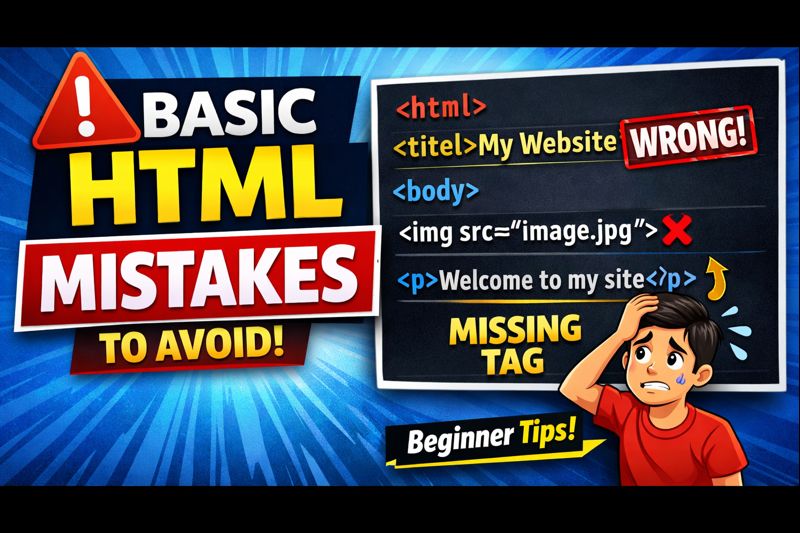
HTML is the foundation of every website. If you are learning web development or web design, HTML is usually the first language you start with. While HTML is simple to learn, beginners often make small mistakes that can cause layout issues, poor structure, or SEO problems.
If you are new to coding, understanding HTML mistakes beginners make will help you write cleaner code, avoid errors, and build better websites from the start. In this article, we will cover the most common HTML mistakes and explain how to fix them in a simple and practical way.
Why Beginners Make Mistakes in HTML
Most HTML mistakes happen because beginners rush through learning the basics or copy code without understanding it. HTML looks easy, but ignoring structure and best practices can lead to broken layouts and poor accessibility.
Learning from mistakes is part of the process. The goal is to recognize these errors early and correct them before they become habits.
Not Using Proper HTML Structure
One of the most common HTML errors is not following the correct document structure. Beginners often forget important tags like <!DOCTYPE>, <html>, <head>, or <body>.
A proper HTML structure helps browsers and search engines understand your webpage correctly.
Fix: Always start your HTML file with a proper structure and include all required tags.
Skipping Semantic HTML Tags
Many beginners rely only on <div> tags for everything. While divs are useful, overusing them makes your code harder to read and understand.
Semantic HTML tags like <header>, <nav>, <section>, <article>, and <footer> improve readability and SEO.
Fix: Use semantic HTML tags whenever possible to describe the purpose of your content.
Incorrect Use of Heading Tags
Heading tags are important for both users and search engines. Beginners often use headings incorrectly, such as skipping heading levels or using multiple <h1> tags.
This can confuse search engines and reduce accessibility.
Fix: Use one <h1> per page and follow a logical order using <h2>, <h3>, and so on.
Forgetting to Add Alt Text to Images
Images without alt text are a common HTML mistake. Alt text is important for accessibility and SEO. Screen readers rely on alt text to describe images to visually impaired users.
Fix: Always add meaningful alt text to images using the alt attribute.
Not Closing HTML Tags Properly
Forgetting to close HTML tags can break your layout and cause unexpected issues. While some browsers try to fix errors automatically, relying on this behavior is a bad habit.
Fix: Always close your tags properly and keep your code clean and organized.
Using Inline Styles Instead of CSS
Beginners often use inline styles directly inside HTML tags. This makes code messy and difficult to maintain.
Fix: Use external or internal CSS files to handle styling. Keep HTML for structure and CSS for design.
Ignoring Responsive Design Basics
Many beginners forget that websites need to work on different screen sizes. Writing HTML without considering mobile users can result in poor user experience.
Fix: Use responsive design practices and test your HTML on different devices.
Using Tables for Layout
Using tables to create layouts is an outdated HTML practice. Tables should only be used for tabular data, not page structure.
Fix: Use proper layout techniques with HTML and CSS instead of tables.
Not Validating HTML Code
Skipping HTML validation is another common beginner mistake. Invalid HTML can cause unexpected behavior across different browsers.
Fix: Use HTML validators to check your code and fix errors.
How to Avoid These HTML Mistakes
Avoiding common HTML mistakes becomes easier with practice and awareness.
- Learn HTML basics properly
- Write clean and readable code
- Use semantic HTML
- Test your code regularly
- Validate your HTML files
Watch the Video: Common HTML Mistakes Explained
If you prefer learning visually, watch the video below where I explain these HTML mistakes in a simple and practical way. This video will help you understand the concepts faster.
Final Thoughts
Making mistakes while learning HTML is completely normal. What matters is identifying those mistakes and improving your coding habits. By avoiding these common HTML mistakes, you can build cleaner, more accessible, and SEO-friendly websites.
If you are serious about learning web development, focus on writing structured HTML and following best practices from the beginning.








0 comments